File:Heatmap-gaps.png


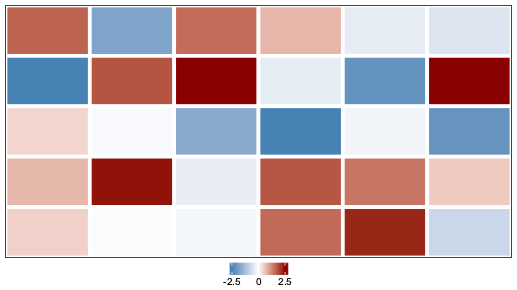
No higher resolution available.
Heatmap-gaps.png (517 × 290 pixels, file size: 4 KB, MIME type: image/png)
Summary
# 1. Prepare the data
set.seed(42)
mat = matrix(rnorm(30, mean = 0, sd = 1.2), nrow = 5, ncol = 6)
mat[2, 1] = -2.5
mat[2, 6] = 2.5
mat[1, 2] = -1.8
mat[4, 4] = 1.8

# 2. Define the color palette
library(circlize)
col_fun = colorRamp2(c(-2.5, 0, 2.5), c("steelblue", "white", "darkred"))

# 3. Create the heatmap object
library(ComplexHeatmap)
ht = Heatmap(
  mat,
  col = col_fun,
  cluster_rows = FALSE,
  cluster_columns = FALSE,
  show_row_names = FALSE,
  show_column_names = FALSE,
  border = "black",
  rect_gp = gpar(
    col = "white",
    lwd = 5 # Increased lwd to create a larger gap
  ),
  heatmap_legend_param = list(
    title = "",
    direction = "horizontal",
    at = c(-2.5, 0, 2.5)
  )
)

# 4. Draw the heatmap
draw(ht, heatmap_legend_side = "bottom")
File history
Click on a date/time to view the file as it appeared at that time.
| Date/Time | Thumbnail | Dimensions | User | Comment | |
|---|---|---|---|---|---|
| current | 09:17, 7 August 2025 | | 517 × 290 (4 KB) | Brb (talk | contribs) | <syntaxhighlight lang='r'> # 1. Prepare the data set.seed(42) mat = matrix(rnorm(30, mean = 0, sd = 1.2), nrow = 5, ncol = 6) mat[2, 1] = -2.5 mat[2, 6] = 2.5 mat[1, 2] = -1.8 mat[4, 4] = 1.8 # 2. Define the color palette library(circlize) col_fun = colorRamp2(c(-2.5, 0, 2.5), c("steelblue", "white", "darkred")) # 3. Create the heatmap object library(ComplexHeatmap) ht = Heatmap( mat, col = col_fun, cluster_rows = FALSE, cluster_columns = FALSE, show_row_names = FALSE, show_colu... |
You cannot overwrite this file.
File usage
The following page uses this file:
